
On this page
Your needs, this model
Does it fit your priorities?
Can I set the whole schedule using only the feeder buttons?
The documented local button releases food immediately. Creating and changing scheduled plans uses the Closer Pets Hub app; local initial timetable programming is not established.
Explore this need in the finder →Is it a fit for 9 mm dry kibble and an app?
The documented food range is3–10 mm and the app creates timed plans. Check the 2.4 GHz pairing and credential limits as well as the actual food shape.
Explore this need in the finder →Will it definitely keep scheduled feeding during an outage?
The exact extended manual conflicts: its setup calls battery backup manual-only, but its FAQ says stored schedules continue. It is excluded from essential schedule-backup matches until clarified.
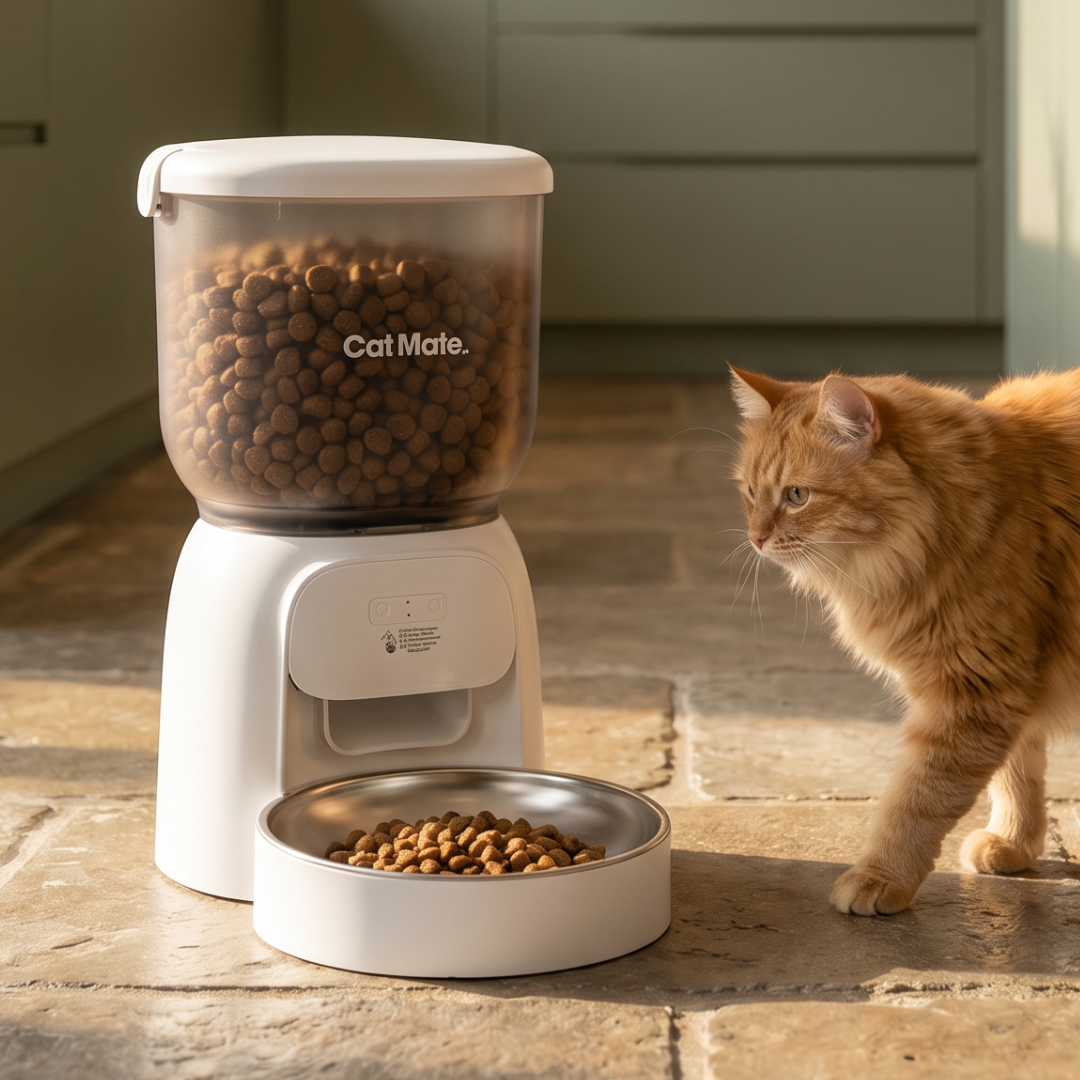
Explore this need in the finder →The Cat Mate WiFi 820 suits a dry-food routine managed through the Closer Pets Hub app, especially if you want a removable food path and stainless bowl. Check its network requirements before buying. If continuing timed meals during a power cut is essential, the current manufacturer documents need clarification before you rely on this particular model.
Schedule changes belong in the app
The feeder offers three ways to release food: an app schedule, an immediate app command and a button on the appliance. A button that dispenses now is different from buttons that create a complete recurring timetable. Choose this model for phone-based meal planning, rather than assuming the local button provides a no-app setup.
The US product page identifies a 4 L dry-food hopper and the Closer Pets Hub app. If you already use another brand's feeder, check the app name rather than assuming its schedules or accessories transfer. The useful benefit is changing a supported feeding plan through the intended app; an app connection alone does not identify which pet ate.
Check pairing requirements before committing
The manufacturer's connection instructions require 2.4 GHz Wi-Fi and describe a password-length limit of twelve characters. That is a practical compatibility constraint. If the network you intend to use has longer credentials, choose another feeder or establish a suitable separate setup without weakening the security of your existing home network.
Place the feeder in its intended feeding location when checking connectivity. A successful first pairing near the router does not demonstrate the same connection in a distant utility room. Keep a record of the schedule you set, and observe a complete trial routine before depending on remote adjustments.
Food size and portion settings need separate checks
The documented dry-kibble range is 3–10 mm. Food outside that range should take you to a different match; a spacious hopper does not enlarge the outlet's food specification. Measure the irregular dimensions of a sample of the actual food, rather than only a convenient small piece.
Both the FAQ and extended instructions describe approximately 8 g per programmed portion, with variation according to food. Use that as an explanation of the menu, not a precise guaranteed serving. Weigh several releases with your own kibble and decide the schedule from an established daily allowance.
What the battery documents actually say
The supplied USB cable needs a suitable power supply; the product's box list says the plug is not included. Three optional D alkaline cells are described as backup. However, the 820 extended instructions call battery backup manual-only in the setup section, while the later FAQ says saved meal schedules continue.
Those statements do not establish the same outage behavior. We therefore do not recommend 820 for an essential scheduled-feeding backup requirement until the maker resolves that point for the exact unit. If that requirement matters, compare a feeder with a consistently documented schedule-preserving backup arrangement, such as the PIXI Smart 43752. A general battery logo is insufficient for this decision.
Cleaning is a reason to inspect the whole food path
The removable hopper, rotor and bowl are listed as dishwasher-safe, while the electronic base is wiped clean. Dry the parts before rebuilding the path and adding food. The desiccant sits in its designated lid holder; it is not a loose ingredient for the reservoir or a substitute for cleaning.
Choose 820 when dry-food app control, the exact network setup and this cleaning arrangement fit your routine. For a local battery-powered schedule, compare the C3000. For food stealing, use selective-access choices: the 820's open serving bowl does not allocate meals to a recognized cat.
Key specifications
Key details at a glance
| Dry-food compatibility | Yes |
|---|---|
| Wet-food compatibility | No |
| Timed meal releases | Yes |
| Pet-specific access control | No |
| Powered cooling | No |
| Ice-pack arrangement | No |
More specifications and setup details
| App plans or food targets | Yes |
|---|---|
| Local meal-schedule programming | No |
| Routine battery operation | No |
| Separate simultaneous feeding positions | No |
| Separate food hoppers | No |
| Dry-food hopper volume | 4 L |
| Documented minimum regular-kibble diameter | 3 mm |
| Documented upper regular-kibble boundary | 10 mm |
Use the exact model’s instructions for operating limits, supplied equipment and version differences.
Sources for this review
Sources for this assessment
Compare the options for your routine.
Bring together the food, feeding function, controls and power that matter to you.