
On this page
Your needs, this model
Does it fit your priorities?
Is this suitable for twelve small dry-food meals?
Catit documents up to twelve daily releases. Check portions with the actual kibble; the programmed portion count is not a prescribed dietary allowance.
Explore this need in the finder →Will it connect if I require 5 GHz Wi-Fi?
The ordinary 43752 supports only 2.4 GHz. Compare the separately documented PIXI Vision 43753 for dual-band support rather than assuming all PIXI models use the same network hardware.
Explore this need in the finder →Can two cats get separate feeding positions?
This configuration has one dish. Use the two-position requirement to compare documented dual-bowl layouts, and choose selective access separately if food stealing is the concern.
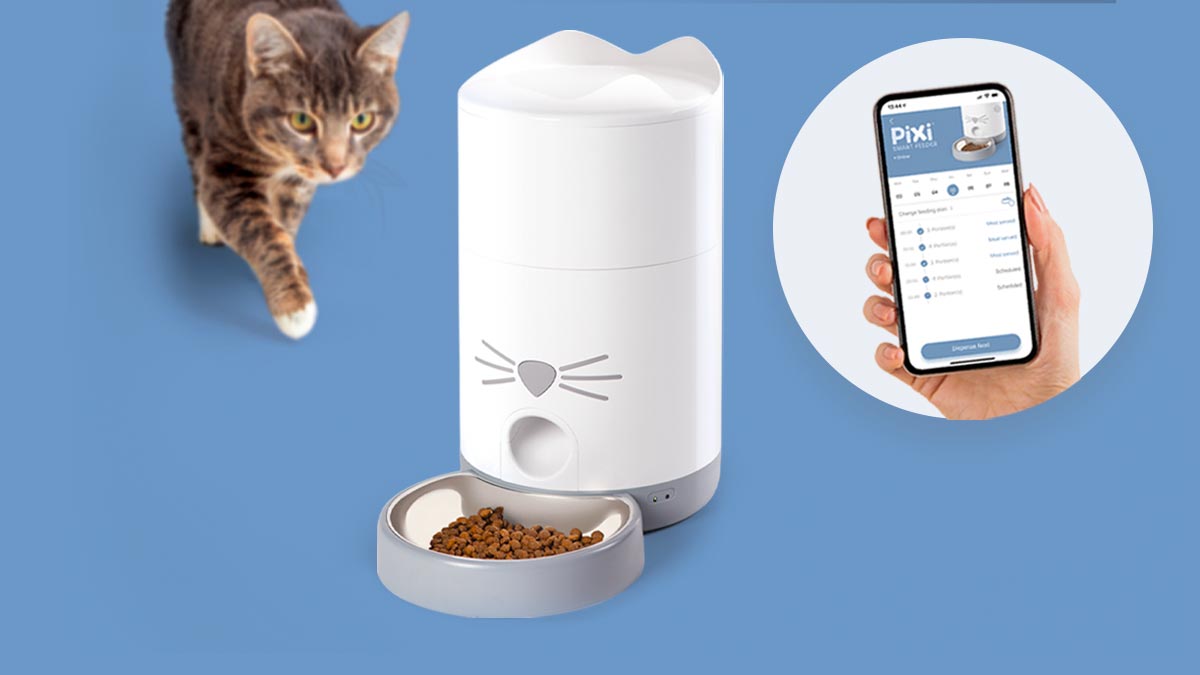
Explore this need in the finder →Choose the Catit PIXI Smart Feeder 43752 for scheduled dry-food meals when you want to manage the routine on your phone. Its strongest fit is one cat, one bowl and familiar kibble. The PIXI Vision adds a camera and different wireless support; the ordinary Smart Feeder keeps the purchase focused on feeding.
Small meals without preparing a tray each morning
A hopper makes sense when your main problem is being available at several feeding times. You fill the reservoir with compatible dry food and set a repeating schedule, rather than prepare individual compartments for every serving. Catit documents up to twelve meals daily. That gives you room to divide an established daily allowance into smaller releases; the feeder does not determine what that allowance should be.
The practical setup job is to measure several dispensed portions of your actual food. A portion setting represents movement of the dispensing mechanism, and changing pellet shape or density can change the amount delivered. Keep a note of the food and setting you have checked. Recheck when changing kibble rather than carrying a previous setting across to a different recipe.
The useful food boundary is 9 mm
Catit specifies dry food or treats no larger than 9 mm in diameter or thickness. Check the thickest dimension of irregular pieces. Large freeze-dried chunks and wet meals need a different feeding arrangement; a moisture-control insert does not turn this reservoir into chilled storage. The manufacturer's specification identifies a roughly 2.9 L reservoir.
Capacity is most useful as a refill-planning detail. Leave space in your routine to inspect the outlet, check remaining food and wash the dish. An apparently full reservoir cannot tell you whether a particular cat ate its portion. This distinction matters especially when more than one pet can approach the same bowl.
Check the network where the bowl will actually sit
The 43752 supports 2.4 GHz Wi-Fi. Set it up in its intended position before arranging the first unattended meal; a connection that works beside the router may behave differently behind a kitchen cabinet. The PIXI Smart support hub links the current setup and app instructions.
The nose button provides an immediate food release and can be disabled in the app. That can be useful after teaching a curious cat where meals appear. An instant-feed button is different from programming an entire schedule on the appliance, so choose this model for an app-managed routine rather than an essential no-app setup.
Backup feeding and normal use are separate decisions
The normal arrangement uses the supplied power connection. Four optional C/LR14 cells provide emergency backup; Catit's approximate 58-hour figure is a manufacturer estimate. Plan to install and check them, and rehearse a stored meal while someone is home. Backup should provide resilience for a checked routine, not become the reason to skip regular checks.
What would make another feeder more suitable?
If seeing the bowl remotely would change your decision, compare the PIXI Vision. If you want prepared wet and dry meals, compare the PIXI six-meal tray. If the main problem is another cat stealing a prescription diet, start with pet-specific access instead. A scheduled release into an open dish does not separate two animals' meals.
The ordinary PIXI Smart is a coherent choice when dry-food timing and app control solve the actual problem. Extra video features are useful only if you will use them; selective access is useful only if the bowl must distinguish pets. Make those choices first, then compare the exact model and package through the shopping link.
Key specifications
Key details at a glance
| Dry-food compatibility | Yes |
|---|---|
| Wet-food compatibility | No |
| Timed meal releases | Yes |
| App plans or food targets | Yes |
| Routine battery operation | No |
| Backup for stored meal schedules | Yes |
More specifications and setup details
| Separate simultaneous feeding positions | No |
|---|---|
| Separate food hoppers | No |
| Maximum documented scheduled meals per day | 12 |
| Dry-food hopper volume | 2.9 L |
| Documented upper regular-kibble boundary | 9 mm |
Use the exact model’s instructions for operating limits, supplied equipment and version differences.
Sources for this review
Sources for this assessment
Compare the options for your routine.
Bring together the food, feeding function, controls and power that matter to you.